

I used the tool for lecture recordings, and the playback became smoother instantly. Super fast processing and very easy to understand.
Normalize Audio Volume Online
Normalize audio files to a consistent loudness level in seconds with our free online audio normalizer, perfect for Spotify, YouTube, and podcasts.


将音频拖拽至此处,或点击上传
支持格式:MP3、AAC、AMR、M4A、WAV · 最大时长:20 分钟 · 最大大小:30MB
处理前后对比
Original
00:00
Normalized
00:00

4.9 / 5.0

基于用户评价

500+
媒体报道与专题
10M+
全球用户
深受全球创作者、主流媒体及 AI 社区的信赖











Why Normalize Audio?
Does your audio sound too quiet in some parts and too loud in others? Audio normalization helps balance loudness levels for a more consistent listening experience across your tracks. It is widely used for podcasts, music, videos, and streaming content to reduce sudden volume changes, improve playback comfort, and meet platform loudness standards more reliably.
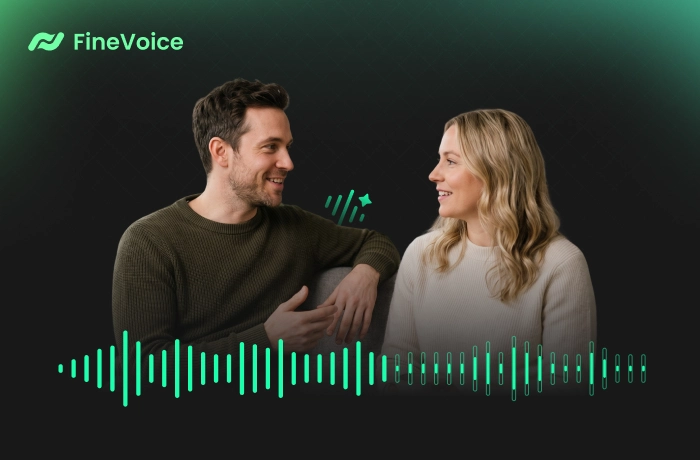
Achieve Consistent Audio Levels Automatically with FineVoice
FineVoice's powerful AI audio normalizer automatically detects and corrects uneven volume levels across your recordings, helping you achieve smoother, more balanced sound with minimal effort. Whether you are editing podcasts, music, videos, or voice recordings, it enhances listening comfort and creates a more consistent playback experience across different devices, speakers, and streaming platforms.
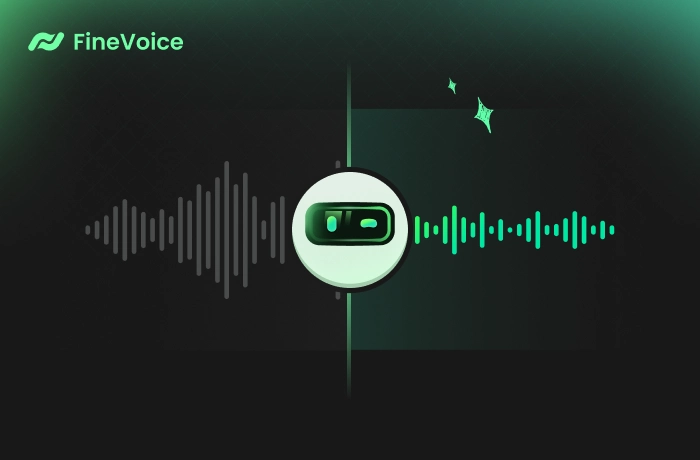
Why Use Our Volume Normalizer
This browser-based audio normalizer helps everyday creators and listeners achieve more balanced, professional audio with better listening consistency — fast, easy, and no sign-up required.

AI-Powered Audio Normalization
Automatically analyze and adjust audio loudness for smoother, more balanced, and more professional-sounding playback.

Consistent Audio Levels
Ensure uniform volume throughout your audio content, making listening more comfortable across podcasts, videos, music, and voice recordings.

Dynamic Range Preservation
Maintain natural audio dynamics while normalizing loudness levels, helping your recordings sound balanced without losing important details.

Clear Output
Reduce clipping and unwanted distortion with controlled peak limits, creating cleaner audio output that sounds clearer and more polished.

Simple & Fast
Normalize audio files in seconds with minimal steps using our online normalization tool designed for quick and hassle-free audio processing.

Private & Secure
Audio normalization runs locally in your browser, which keeps your files private, secure, and fully under your control.
How to Normalize Audio Online Using FineVoice
With FineVoice, you can easily normalize audio levels in just a few clicks. Follow these simple steps to balance loudness and get optimized audio.
1
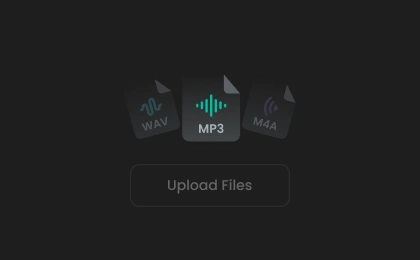
Step 1. Upload Audio File
Click to upload or drop your audio file into the AI audio normalization software. Alternatively, record your audio directly in the browser.
2
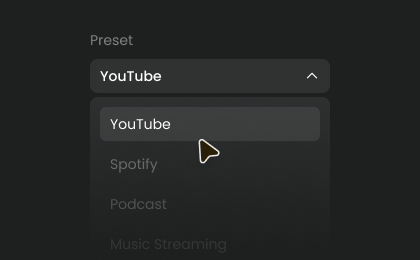
Step 2. Normalize Audio
Select a normalization preset or manually adjust the volume to your desired level. Then, click "Normalize Audio" to start the process.
3
Step 3. Download Result
Once completed, preview your normalized audio, select your preferred output format, and download it to your device for use in podcasts, videos, or other creative projects.
Popular Use Cases for Audio Normalization
Designed for everyday creators and listeners, our AI audio normalizer delivers smoother, more professional sound by balancing volume to consistent levels across any voice recording.
Podcast Production
Audiobook Narration
Course Content
Music Recordings
Podcast Production
Balance volume levels between different speakers, guests, or segments to maintain consistent loudness across episodes, delivering clear, professional-quality podcast audio.
What Users Say About Our AI Audio Normalizer
 评分: 5
评分: 5
CH
Cassian Holt
评分: 5
This audio normalizer saves me so much editing time. The loudness feels balanced without making the tracks sound overprocessed or flat. Everything stays natural while becoming more consistent.
MV
Mireille Vaughn
评分: 5
FineVoice helped fix uneven audio levels in my recording that sounded distracting before. After normalization, the voices were smoother and easier to follow. I also liked that the tool worked directly in the browser without installation.
TE
Tobias Ellery
评分: 5
This is one of the simplest audio tools I’ve used. I normalized several MP3 files for a presentation, and the results sounded polished and consistent. It made the listening experience much more comfortable.
SW
Selene Whitmore
评分: 5
FineVoice made volume balancing incredibly easy. It improves listening quality a lot for long-form content like audiobooks and storytelling projects.
DA
Dorian Ashcombe
评分: 5
This tool made my voice recording more balanced while maintaining a clear sound. I’ll definitely continue using it for future projects.
LM
Linnea Marlowe
 评分: 4
评分: 4
The normalization quality was surprisingly good, especially for spoken audio. I tested it on several recordings, and the results were noticeably smoother. I only wish there were more advanced customization settings for professional audio workflows.
OP
Octavian Pierce
评分: 4
I used FineVoice to improve online course recordings that had uneven speaker volume. The tool handled normalization quickly and made playback much easier for students. The browser-based workflow is very convenient, though batch processing support would make it even better.
IM
Isolde Mercer
评分: 4
FineVoice works well for quickly balancing audio without complicated editing software. I normalized a few podcast interviews and noticed a big improvement in listening consistency.
TV
Thaddeus Vale
More Than Just an Audio Normalizer
Explore related AI tools to fix and enhance your audio for crystal-clear, professional sound.
FAQs About FineVoice Audio Normalizer
1. What is audio normalization?
Audio normalization is the process of adjusting audio loudness to a consistent level, helping reduce uneven volume and create a smoother listening experience.
2. Should I normalize audio?
3. Does audio normalization reduce quality?
4. What file formats does FineVoice audio normalizer support?
5. Is this audio normalization tool free?
 FineVoice
Normalize Your Audio Volume to Optimal Levels
Use our AI audio normalizer to match loudness levels and reduce sudden volume jumps effortlessly. Normalize audio online in seconds and achieve consistent volume across recordings — no sign-up, no upload.

FineVoice normalized my podcast audio perfectly. Different guest volumes now sound balanced and much more professional across every episode.
Elara Winslow