

I reversed a short guitar riff for a music project, and the result sounded perfect. The tool was fast and easy.
Reverse Audio Online Free
Reverse your audio files, songs, and voice recordings online with one click. Make any sound play backwards instantly in your browser — free, no app or account required.


Drag & drop audio here or click to upload
Supported formats: MP3, WAV, M4A, AAC, OGG, FLAC, M4R, WEBM, Opus.

4.9 / 5.0

基于用户评价

500+
媒体报道与专题
10M+
全球用户
深受全球创作者、主流媒体及 AI 社区的信赖











Reverse Audio Online in One Click
Easily reverse audio files with FineVoice without downloading software or creating an account. Simply upload a file or record your voice, reverse it in one click, preview the result, and download high-quality reversed audio in seconds. Our audio reverser supports all major audio formats and works seamlessly on desktop and mobile browsers.

Create Unique Audio Effects with Reversed Audio
Reverse audio to create unique sound effects, cinematic transitions, atmospheric intros, and creative music elements, or just for fun. FineVoice lets you instantly play songs, voice recordings, and sound clips backwards, making it easy to experiment with new ideas for music production, video editing, podcasts, social media, and other creative projects.

Why Use Our Online Audio Reverser
Reverse audio quickly and effortlessly with FineVoice online audio reverser. Enjoy high-quality results, broad format support, fast browser-based processing, and an easy-to-use interface; no software or sign-up required.

One-Click Reverse
Reverse any audio with a single click. Simply upload a file or record your voice to create a reversed version instantly—no complicated editing required.

Consistent Quality
Generate reversed audio while preserving the original sound quality, ensuring every exported file remains clear, detailed, and ready to use.

Supports Major Formats
Reverse audio in popular formats, including MP3, WAV, FLAC, OGG, M4A, AAC, AIFF, and WebM, for maximum compatibility.

Browser-Based
Reverse songs and audio files directly in your browser without installing software. Upload, process, and download your reversed audio in seconds.

Works on Any Device
Use FineVoice Audio Reverser on Windows, Mac, iPhone, Android, and other supported devices through any modern web browser.

Free & No Sign-Up
Reverse audio online for free without creating an account or installing apps. Get started instantly to hear your audio play backwards.
How to Reverse an Audio File
Reverse audio, songs, and voice recordings in just 3 simple steps with FineVoice. Upload a file or record your voice, then create and download high-quality reversed audio—all online with no account required.
1
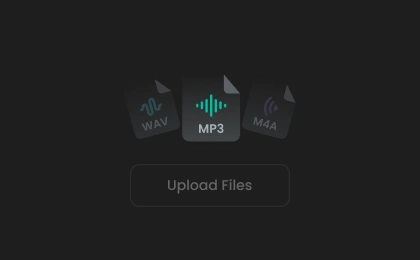
Step 1. Add an Audio File
Drag and drop your audio file or click to upload it into the online audio reverser. You can also record your voice directly using the built-in voice recorder.
2

Step 2. Adjust & Preview
Trim to select the section you want to reverse. Click “Play Original” or “Play Reversed” to compare the two versions, and adjust the playback speed if needed.
3
Step 3. Download Reversed Audio
Once you're happy with the result, choose an output format and click “Download” to save the reversed audio for sound design, remixing, or other projects.
What You Can Do with Reversed Audio
Reverse audio for music production, sound design, video editing, creative effects, language learning, and more. FineVoice makes it easy to create backwards audio for both professional projects and everyday fun.
Reverse Name Challenge
Reverse Singing Challenge
Creative Sound Design
Cinematic Intros & Outros
Find Hidden Messages
Reverse Name Challenge
Record yourself saying your name, reverse the audio, then try to pronounce the reversed version. Flip it again to see how close you were.
What Users Say About Our Audio Reverser
 评分: 5
评分: 5
AS
Avery Sinclair
评分: 5
Everything runs in the browser. I uploaded my file, reversed it, and downloaded the result in less than a minute.
JM
Julian Mercer
评分: 5
FineVoice made the reverse name challenge so much fun. Recording and reversing my voice took only a few seconds. Great tool!
CD
Camille Donovan
评分: 5
I needed reverse sound effects for a short film, and this tool delivered exactly what I wanted without any complicated editing.
EW
Elias Whitmore
评分: 5
The interface is clean and beginner-friendly. I had never reversed audio before, but the whole process was incredibly straightforward.
IM
Isla Montgomery
评分: 5
The process is very fast. It handled my WAV files smoothly and kept the sound quality intact. Nice.
SH
Sebastian Holloway
评分: 5
It worked perfectly on my laptop and phone. Free and worth a try.
FC
Freya Caldwell
评分: 5
I used it to create reversed intros for my YouTube videos, and the results sounded clean and professional. The browser-based workflow saved me a lot of time, and I was able to finish my edits without downloading any additional software.
DP
Declan Prescott
评分: 5
This is a reliable online audio reverser for both music and voice recordings.
TW
Theodore Winslow
More Than Just an Audio Reverser
Beyond audio reversal, FineVoice offers a complete collection of online audio tools to edit, enhance, and transform your recordings with ease.
FAQs About FineVoice Audio Reverser
1. What is an audio reverser?
An audio reverser is a tool that plays audio backwards from end to beginning. Our tool analyzes the audio waveform and reconstructs it in reverse order while maintaining the original quality. It's often used for music production, sound design, creative projects, hidden message analysis, and special audio effects.
2. Is the audio reverser free?
3. What formats are supported?
4. Is my file uploaded to a server?
5. Does reversing affect audio quality?
6. Can I record audio and reverse it immediately?
7. Does it work on my phone?
8. What is reversed audio used for?
 FineVoice
Start Reversing Audio in Seconds
Reverse songs, voice recordings, and audio files in just one click online for free. Hear your audio play backwards instantly with secure browser-based processing. No software, sign-up, or credit card required.

The audio reversal was accurate, and exporting the finished file was quick and straightforward. It does an excellent job for everyday audio projects.
Genevieve Hart