

Fast and smooth experience. Great tool for quickly mixing music and narration for YouTube videos.
Free Audio Mixer Online
Mix music and vocals instantly with our online audio mixer. Upload multiple audio sources, balance sound levels, and export a smooth, high-quality mixed track in seconds.


Drag & drop audio here or click to upload
Supported formats: MP3, WAV, M4A, AAC, OGG, FLAC, WMA, AMR, etc.

4.9 / 5.0

基于用户评价

500+
媒体报道与专题
10M+
全球用户
深受全球创作者、主流媒体及 AI 社区的信赖











What is Audio Mixer?
Our audio mixer is an online tool that lets you combine multiple audio tracks into one smooth file in just a few clicks. It allows you to easily adjust volume, balance sound levels, and merge files without installing software. Whether you need an audio mixer for podcasts, music projects, or other purposes, this tool makes audio editing faster and more accessible for creators of all skill levels.

Struggling to Mix Tracks?
Mixing different audio files manually can be time-consuming and complicated, especially for beginners. Our audio mixer simplifies the process with an intuitive interface, fast processing, and flexible volume adjustments. Whether you're editing podcasts, creating social media videos, or combining music tracks, you can produce cleaner, more balanced, and professional-sounding audio with less effort.

Mix Music and Soundtracks Easily
FineVoice makes it simple to blend music, voice recordings, and soundtracks into a polished final mix. Upload audio files in popular formats like MP3, WAV, or M4A, adjust tracks quickly, and export high-quality audio within seconds. Perfect for content creators, musicians, video editors, and anyone who needs fast online audio mixing.

Why Use Our Online Audio Mixer
Our AI audio mixer makes it easy to mix multiple audio tracks in seconds. With support for popular file formats and no sign-up required, you can create smooth, professional-quality mixes directly in your browser — perfect for music, podcasts, videos, and more.

Fast & Effortless Mixing
Combine vocals, music, sound effects, and background audio instantly with a simple online workflow. No complicated setup or editing experience needed.

High-Quality Output
Automatically optimize audio balance, maintain clear sound quality, and export your mixed tracks in MP3 or lossless WAV format.

Supports Multiple Formats
Upload and mix MP3, WAV, AAC, M4A, and other common audio formats seamlessly without worrying about file compatibility.

Works on Any Device
Use the web-based audio mixer on Windows, Mac, iPhone, Android, or tablets directly from your browser — no software installation required.

Free & No Login Required
Start mixing audio online for free without creating an account, downloading apps, or dealing with unnecessary setup steps.

Secure & Private Processing
Your uploaded files are processed securely, and audio data is automatically removed after processing to help protect your privacy.
How to Mix Audio Files Online
Render multiple audio tracks into one in just 3 simple steps with our free audio mixer.
1
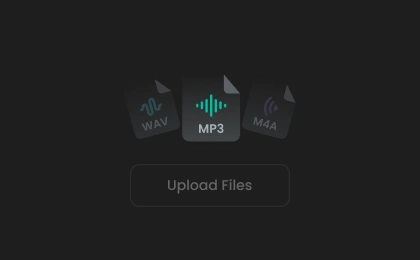
Step 1. Upload Your Audio
Drag and drop your audio files or click to upload them into the online audio mixer.
2

Step 2. Mix Audio Tracks
Select a target duration and export format, then click "Mix Audio" to render your audio files into a single file.
3
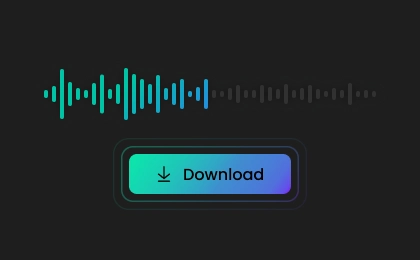
Step 3. Preview and Download
Preview the result and download it to your device for easy sharing, publishing, or reuse.
What Users Say About Our Audio Mixer
 评分: 5
评分: 5
TL
Tobias Lindgren
评分: 5
FineVoice saved me so much editing time. I mixed several WAV and MP3 files, and the audio quality stayed crystal clear after export. Perfect for creators who need fast online audio mixing without complicated software.
CD
Camille Dufour
评分: 5
This online audio mixer works flawlessly on my laptop and phone. It lets me mix tracks instantly without installing apps. The speed and sound quality honestly exceeded my expectations.
MS
Marina Solberg
评分: 5
I used the tool to blend background music with voiceovers for an online course, and the final output sounded polished and natural. Extremely convenient and reliable.
LH
Leonie Hartmann
评分: 5
FineVoice handled multiple audio formats, and the mix was ready within seconds. Great option for musicians and content creators alike.
RD
Rafael Domingues
评分: 5
FineVoice Audio Mixer helped me finish an urgent client project much faster than desktop software usually does. The browser-based tool is responsive, intuitive, and surprisingly powerful.
SK
Soren Kaleta
评分: 5
I needed a quick way to merge narration and background music for a presentation video, and FineVoice worked perfectly. The interface is modern, the controls are simple, and I really liked that there was no registration required to start mixing audio.
IK
Iveta Kralova
 评分: 4
评分: 4
The exported WAV file sounded clean with no noticeable loss in quality. The entire process is fast and stress-free.
AV
Anika Vestergaard
评分: 4
I combined vocals, music, and ambient sounds for a short film project in minutes. Everything processed quickly and sounded balanced right away.
NP
Nikolai Petrovic
More Than Just an Audio Mixer
FAQs About FineVoice AI Audio Mixer
1. What is the audio mixer used for?
This audio mixer is used to combine multiple audio tracks into a single, balanced file. You can use it to mix music, vocals, sound effects, and background audio for videos, podcasts, social media content, presentations, and more. It helps create smoother, more professional audio quickly and easily online.
2. What types of audio files can I upload to Audio Mixer?
3. How long does it take to generate a mix?
4. Is the audio mixer free to use?
5. How to adjust the volume of individual tracks?
6. Can I use the mixer on mobile devices?
7. Does Audio Mixer preserve audio quality?
 FineVoice
Mix Two or More Audio Tracks into One for Free
Start mixing audio online in seconds with our intuitive audio mixer. Combine multiple tracks, adjust individual audio layers, and preview your mix instantly. No downloads, registration, or editing experience required.

The tool made it easy to combine my podcast intro music, voice recordings, and background effects online. The interface feels clean and beginner-friendly. I finished my entire audio mix in just a few minutes without downloading anything.
Elena Markovic