

FineVoice made it easy to transpose my favorite songs into a more comfortable key. The pitch changes were smooth, and the audio quality remained excellent.
Change Audio & Music Pitch Online
Raise or lower the pitch of songs, music, and voice recordings without affecting audio quality. Change audio pitch online in seconds with FineVoice — free, in your browser, and no sign-up required.


Drag & drop audio here or click to upload
Supported formats: MP3, WAV, M4A, AAC, OGG, FLAC, M4R, WEBM, Opus.

4.9 / 5.0

基于用户评价

500+
媒体报道与专题
10M+
全球用户
深受全球创作者、主流媒体及 AI 社区的信赖











Change Audio Pitch without Compromising Quality
Raise or lower the pitch of songs, vocals, and recordings by semitones while preserving vocal clarity and instrument timbre. FineVoice lets you transpose audio to any key and adjust playback speed independently from pitch, giving you complete creative control without introducing robotic or distorted sound.

Fast, Flexible Audio Pitch Control Online
Whether you're matching a singer's vocal range, practicing music, creating voice effects, or experimenting with new sounds, FineVoice makes changing audio pitch quick and easy. Upload MP3, WAV, or other popular audio formats, adjust the pitch in seconds, preview the result, and download the finished file, all directly from your browser.

Why Use Our Audio Pitch Changer
Change the pitch of music, vocals, and recordings with precise controls, real-time preview, high-quality processing, and broad format support. Free, online, fast, and easy to use from any device.

Supports Popular Audio Formats
Our voice pitch changer works with a wide range of audio files, including MP3, WAV, M4A, AAC, FLAC, and OGG, making pitch adjustment simple and convenient.

Simple & Intuitive
Just upload your audio, adjust the pitch with easy controls, preview the result, and download your file in seconds. No complicated software or setup required.

Precise Pitch Adjustment
Raise or lower pitch by semitones with precision. Whether you're transposing a song or matching a vocal range, FineVoice delivers accurate and consistent pitch adjustments every time.

Instant Preview & Fine-Tuning
Hear pitch changes instantly before exporting. Fine-tune your audio with real-time playback to get the exact sound you want.

Preserves Audio Quality
Adjust audio pitch while keeping vocals clear and instruments natural. FineVoice minimizes quality loss, preserving the original detail and fidelity throughout the pitch-changing process.

Free, Online & Works Anywhere
Change audio pitch directly in your browser from any device. No app installation, account registration, or subscription is required—just upload, edit, and download for free.
How to Change the Pitch of an Audio File
Change the pitch of songs, voice recordings, and audio files in just 3 simple steps with our free online pitch changer. No software or sign-up required.
1
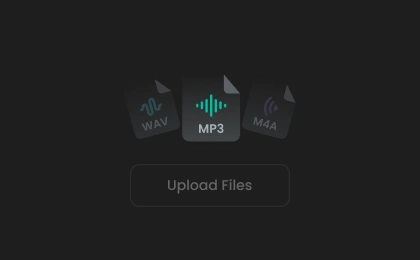
Step 1. Upload Your Audio
Drag and drop your audio file or click to upload it. FineVoice audio pitch changer supports popular audio formats, including MP3, WAV, M4A, FLAC, and more.
2

Step 2. Adjust the Pitch
Move the pitch slider to raise or lower the pitch to your desired level. Preview the result in real time and fine-tune it until it sounds just right.
3
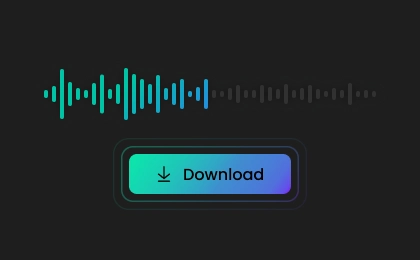
Step 3. Download the Audio
Choose your preferred output format and download the pitch-adjusted audio in high quality, ready for sharing, music practice, content creation, or further editing.
What Users Say About Our Pitch Shifter
 评分: 5
评分: 5
EC
Emma Caldwell
评分: 5
I needed a quick way to change the pitch of backing tracks, and this tool worked perfectly.
LA
Leo Anderson
评分: 5
Great tool. I can test different pitch levels instantly, and it's free to try.
SR
Sophie Reynolds
评分: 5
I use it for music practice. Changing keys and adjusting pitch only takes a few clicks.
BF
Benjamin Foster
评分: 5
Clear audio after pitch adjustment. Vocals remained natural, and the instruments kept their original character.
AB
Amelia Brooks
评分: 5
This is a great online pitch changer for creators. I used it for voice effects and video projects without needing any extra software.
HW
Henry Wallace
评分: 5
The tool is easy to use and works directly in my browser. I uploaded my audio, changed the pitch, and downloaded the result very quickly.
CB
Charlotte Bennett
评分: 5
The pitch adjustment works well for both songs and voice recordings. The quality is good, and the whole process feels smooth and reliable.
EP
Ethan Parker
评分: 5
I use this tool to prepare songs for singing practice. It handles pitch changes well.
GM
Grace Mitchell
More Than Just an Audio Pitch Changer
Discover more online audio tools to edit, enhance, and transform your voice and audio files—all in one place.
FAQs About FineVoice Pitch Changer
1. What is the pitch changer used for?
FineVoice pitch changer (or pitch shifter) can be used to create voice effects, practice music, transpose songs to a different key, match a singer's vocal range, and produce creative audio content.
2. Does pitch shifting affect audio quality?
3. Can I adjust speed separately from pitch?
4. How long does pitch shifting take?
5. Can I transpose a song to a different key?
6. Is the audio pitch changer free?
7. Do I need to download anything?
8. Are my files safe?
 FineVoice
Change Audio Pitch Online Free, No Sign-Up
Raise or lower the pitch of songs, music, and voice recordings with precise controls and high-quality results. Free, browser-based, and no software or sign-up required.

I changed the pitch of my vocal recordings, and the results were impressive. The sound stayed natural, and I could quickly find the right tone for my projects. Good tool.
Mason Whitaker